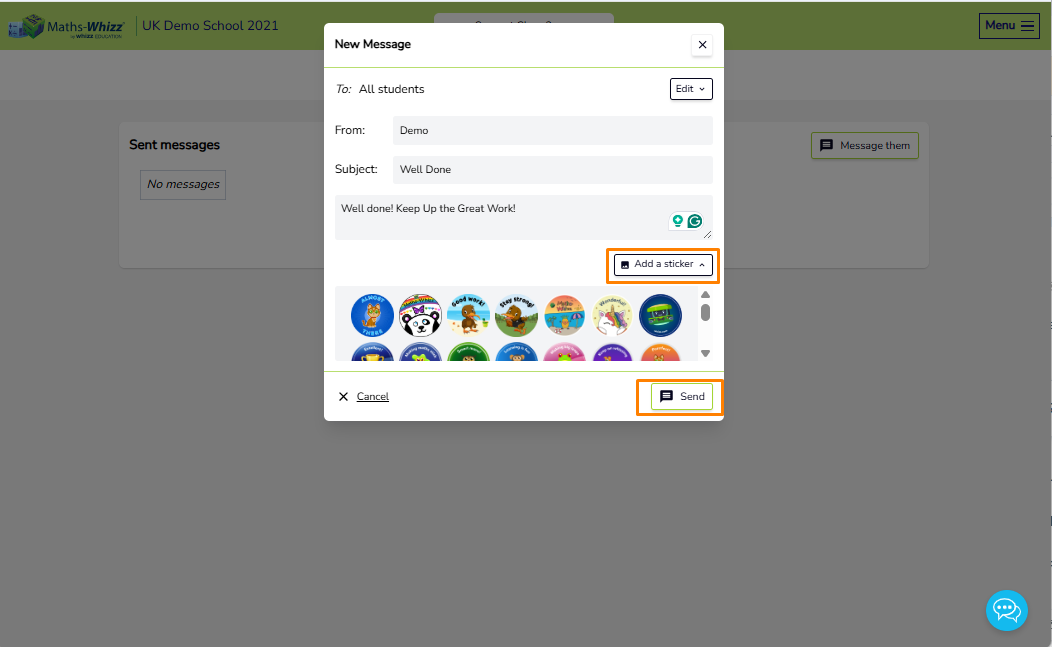
The Messages option, found under the Tools dropdown in the menu, allows teachers to send messages and stickers to individual students or a group of students.
To send a message or sticker:
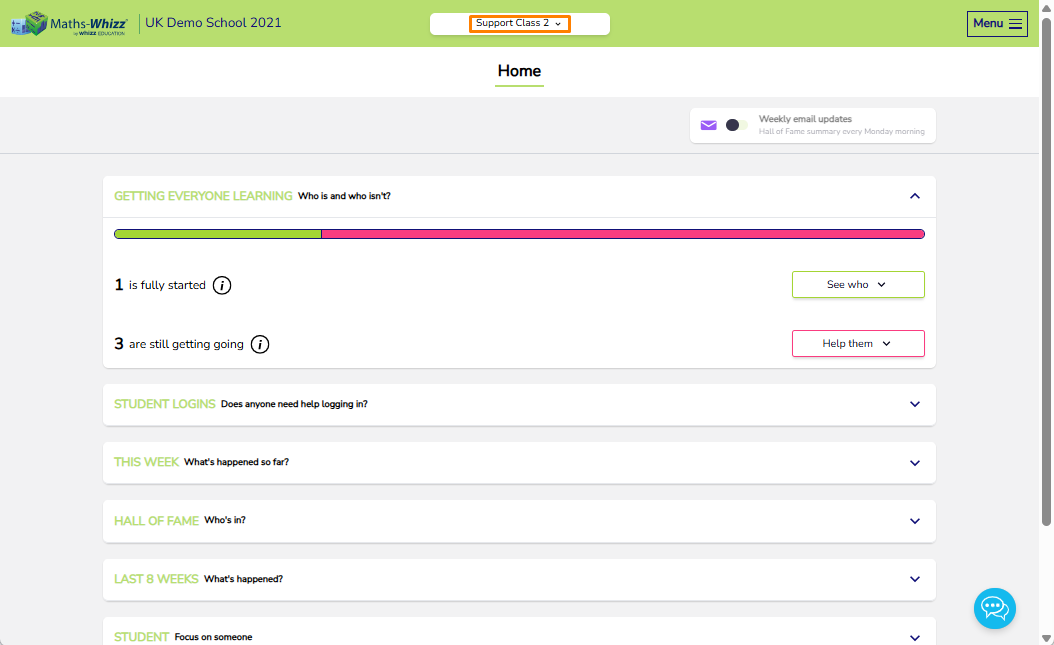
1. Select the class the student(s) are in from the top banner.
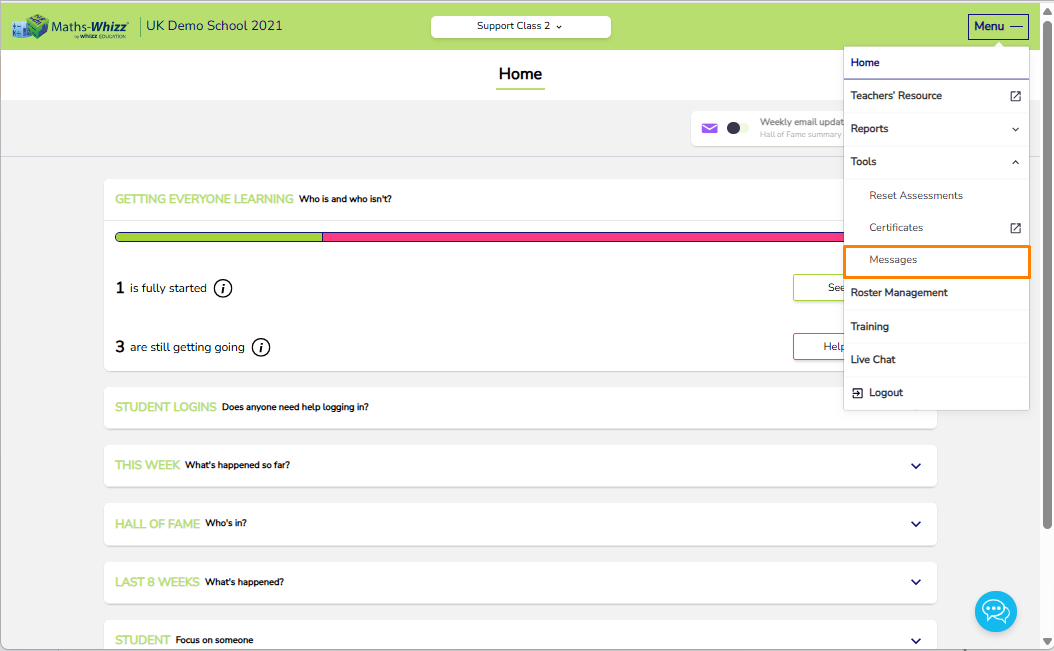
2. Select Menu > Tools > Messages.
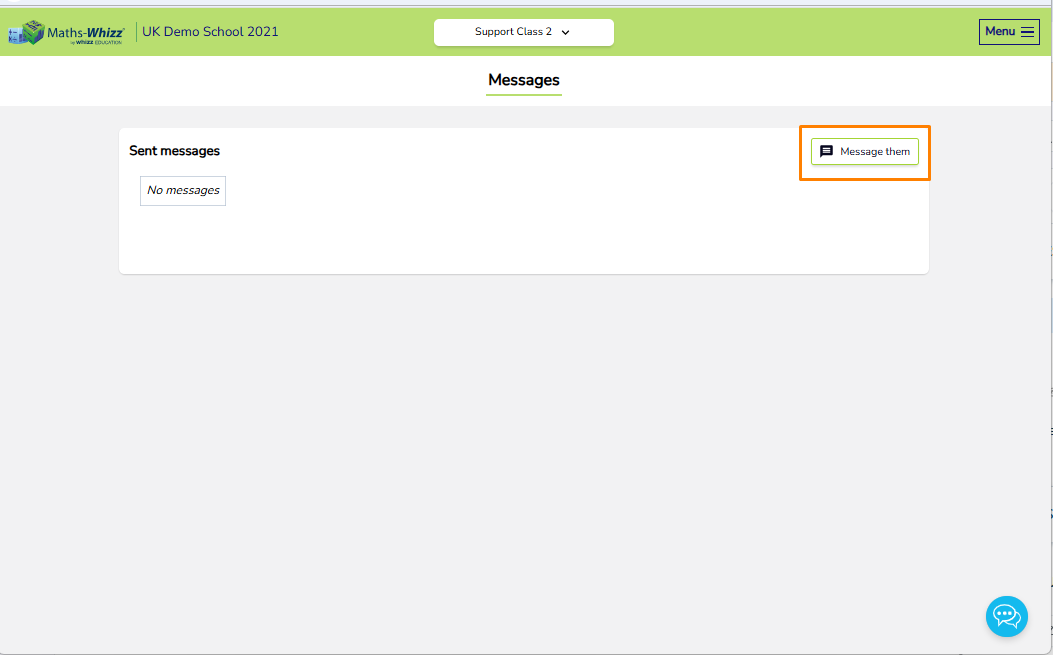
3. Click the Message them icon.
4. Click Edit to select the student(s) you want to message. By default, all students in the class are selected.#
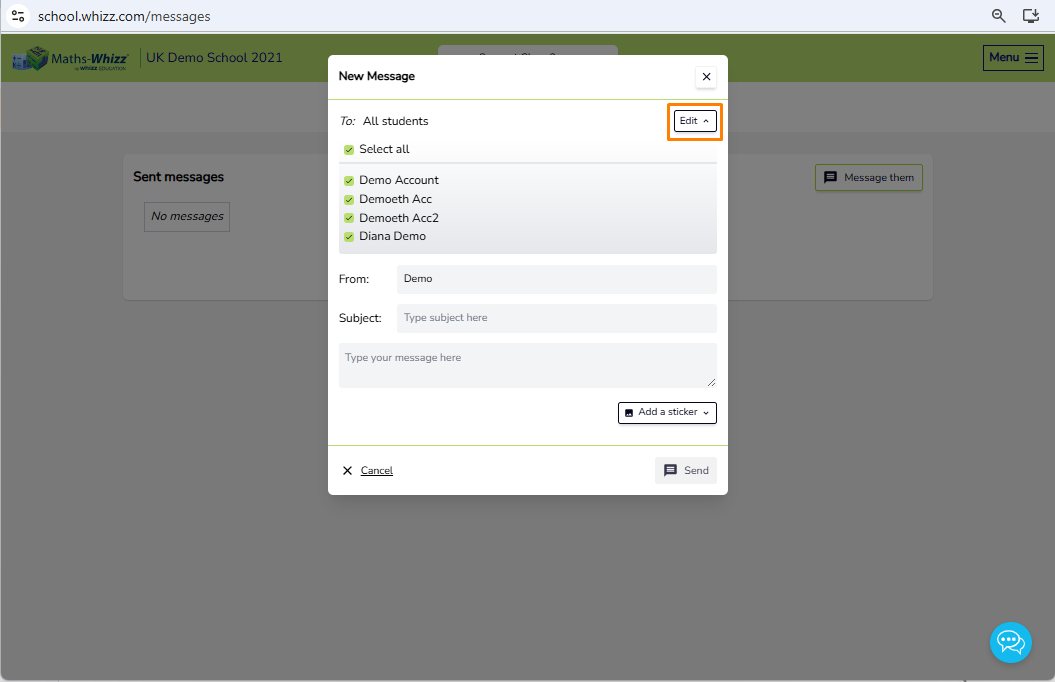
5. Complete the required fields, then click 'Add a Sticker' to select a sticker. Once you have finished, click Send.